Your Money.
Your Life.
One Simple OS.
Track expenses automatically, understand your spending, manage tasks and habits, and stay organized — all from one simple app.
Android Beta • Free to try
Your data stays under your control.
One app
Everything important. In one place.
Life OS brings everyday finance and productivity tools together so you don't need a different app for every part of your life.
Money
Automatically track and understand your spending.
AI Insights
Ask questions and get useful insights from your financial activity.
Daily Life
Manage your tasks, habits and daily focus.
Family
Share expenses, tasks and important information with your family.
Finance
Know where your money goes.
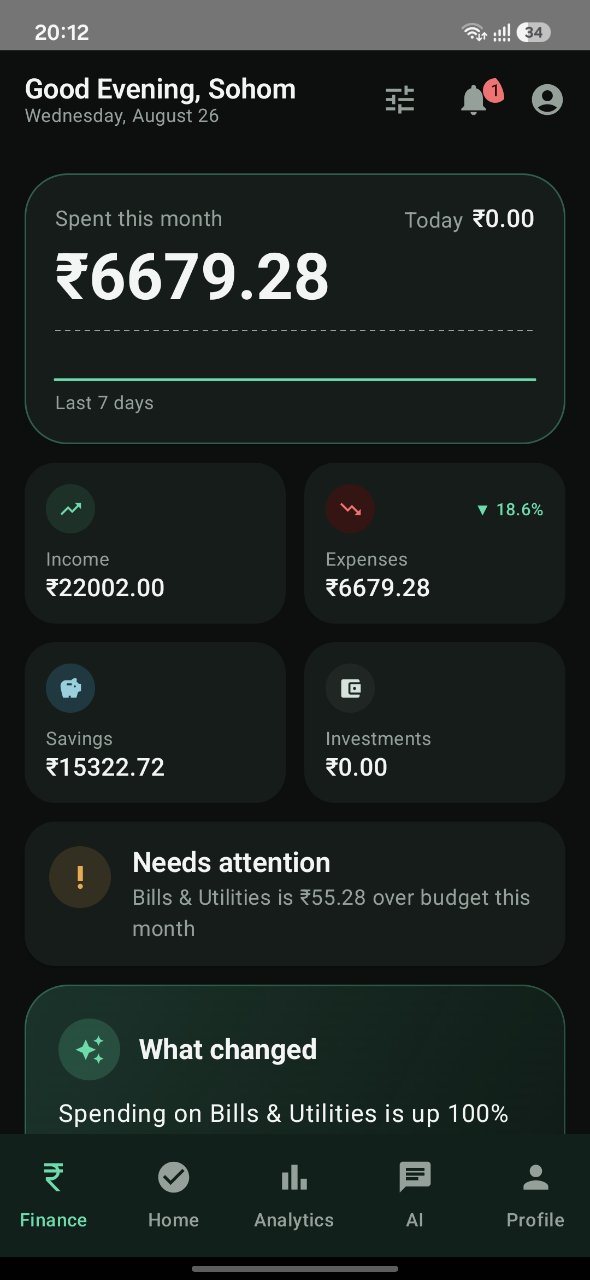
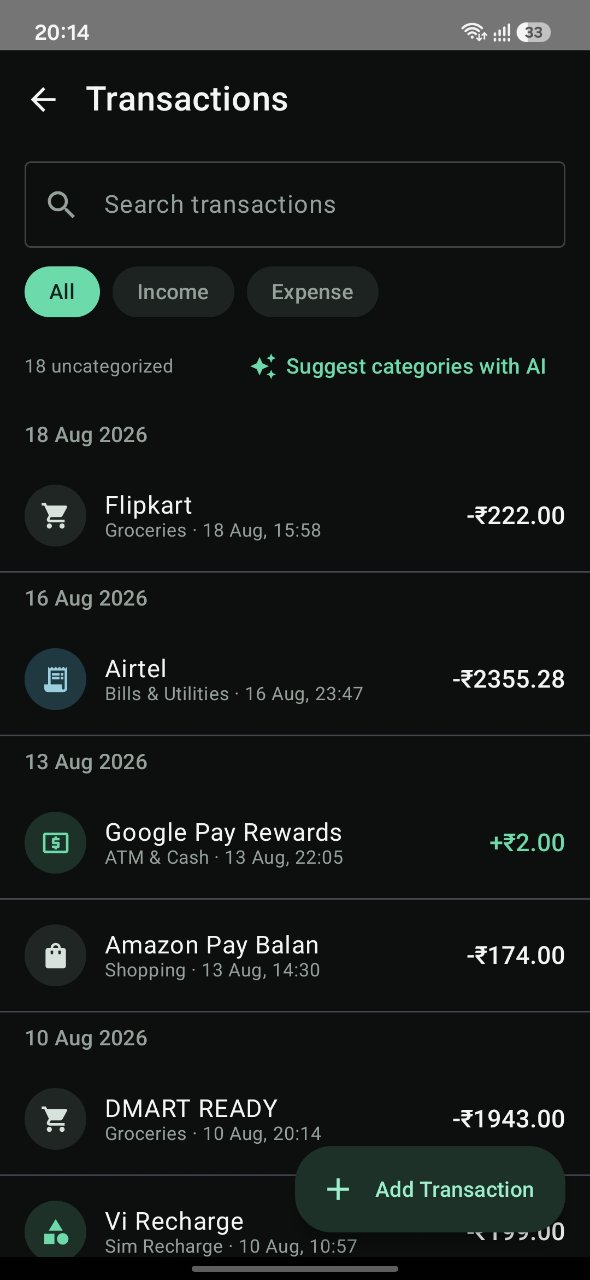
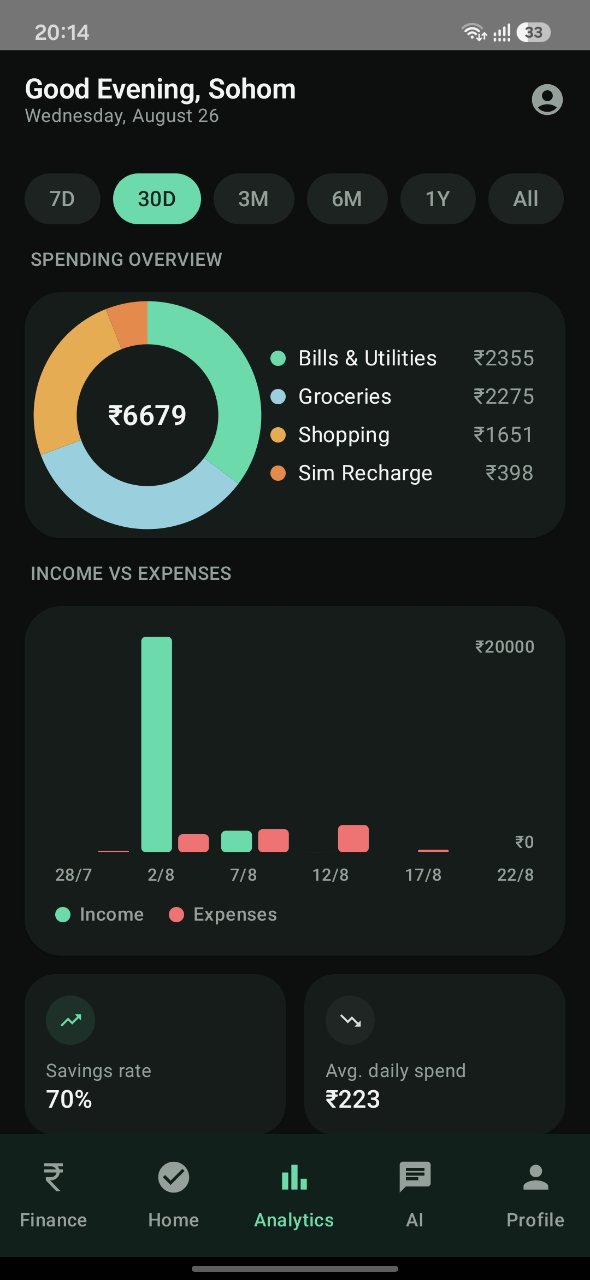
Life OS turns your transaction history into a simple, understandable view of your finances.
- Automatic transaction tracking
- UPI & bank transaction detection
- Smart categorization
- Income & expense tracking
- Spending analytics
- Budgets & subscriptions
Example month
₹1,200
Groceries
₹499
Bills & Utilities
₹350
Shopping
Demo figures shown for illustration.
Automatic tracking
Your expenses, captured automatically.
Life OS can detect supported financial transaction messages from your SMS inbox and turn them into organized transactions.
- 1
Bank / UPI SMS
A supported transaction message arrives.
- 2
Life OS detects transaction
The message is parsed on the app.
- 3
Amount + Merchant + Type
₹350 · Zepto · Debit
- 4
Category
Groceries
- 5
Finance dashboard
Added to your spending view.
Example
SMS
“INR 350 debited towards UPI…”
₹350
Zepto
Groceries
Life OS works with supported transaction messages. Transaction detection is continuously improving during beta.
AI
Understand your money with AI.
Instead of looking at charts and numbers alone, ask Life OS questions about your spending.
- Where did I spend the most this month?
- Why did my spending increase?
- How much did I spend on groceries?
- What changed compared with last month?
AI insights are informational and should not be considered financial advice.
Daily life
Stay focused on today.
Life OS also helps you manage the things that matter beyond money.
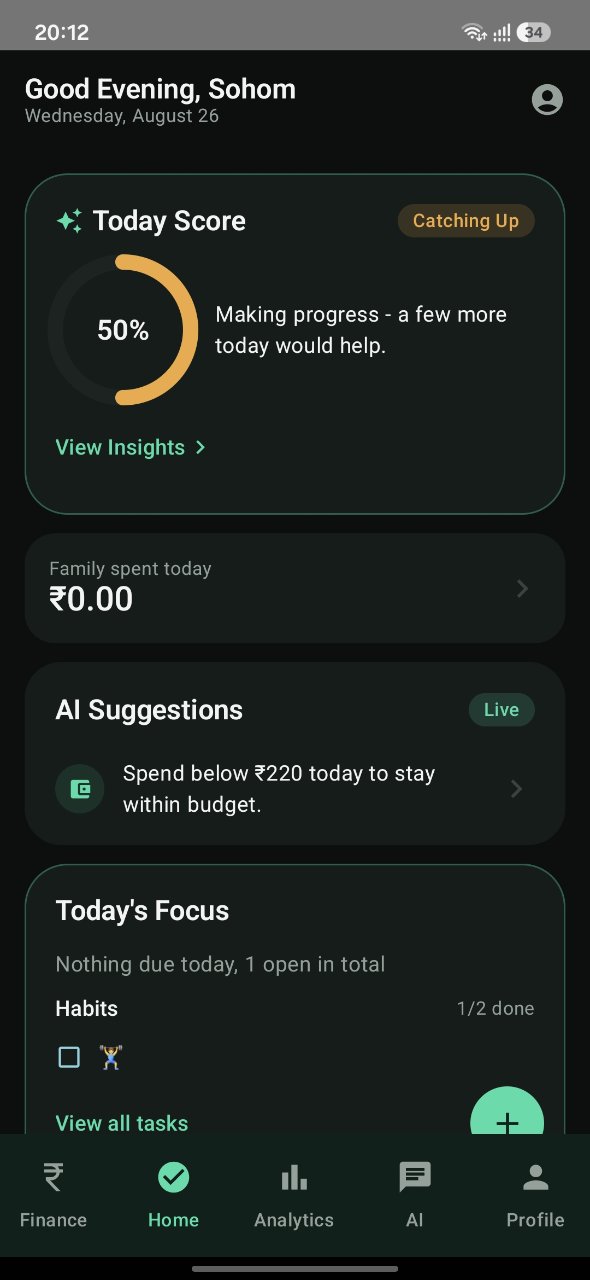
Today Score
“You're making good progress today.”
Today's Focus
See what's due today at a glance.
Tasks
Keep open items in one list.
Habits
Build daily habits and keep the streak.
Today Score
A simple read on how your day is going.
AI Suggestions
Small nudges based on your day.
Family Hub
Manage life together.
Family Hub helps family members stay connected around shared expenses, tasks and important information.
- 01
Create a Family Hub
One member starts the hub as admin.
- 02
Invite members
Invite family using their phone numbers.
- 03
Members accept
They join the hub from their own app.
- 04
Share what you choose
Selected expenses, tasks and family information.
Person 1
Admin
Invites
Family features and sharing permissions may vary during beta.
Gallery
See Life OS in action.
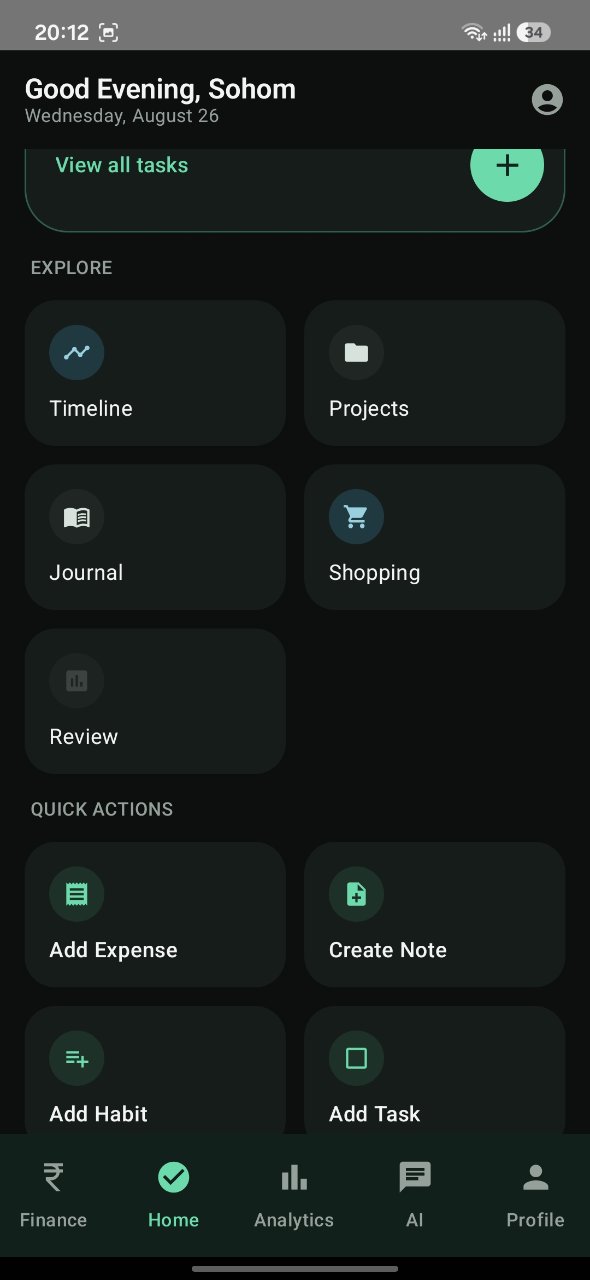
Real screens from the Android beta. Tap any screen to view it larger.
Finance dashboard Recent transactions Ledger, budgets & bills Transactions & search Today Score & focus Explore & quick actions Projects & activity Spending analytics
Feature set
Everything you need. Nothing unnecessary.
Every feature listed here exists in the current Life OS beta.
- Automatic Expense Tracking
- Transaction Management
- Analytics
- AI Assistant
- Tasks
- Habits
- Family Sharing
- Expense Splitting
- Budgets
- Subscriptions
- Bills
- Statement Import
- Categories
- Calculator
- Automation Rules
- Notes
- Shopping
- Journal
- Timeline
- Projects
Privacy & permissions
Your data. Your control.
Life OS may request permissions depending on the features you choose to use. Nothing is requested until a feature needs it.
SMS
Used for supported automatic transaction detection.
Contacts
Used for family sharing and expense splitting when required.
Notifications
Used for transaction alerts, reminders and family updates.
Files / Storage
Used when importing statements or documents, if applicable.
Internet
Used for features that require network access, including AI functionality where applicable.
Permissions can be reviewed and managed from the app.
Read Privacy PolicyYou're invited to the beta.
Life OS is currently in active beta development. Some features may still change, and transaction detection may not work perfectly with every bank or message format.
- Free beta access
- Early access to Life OS
- Help shape future improvements
- Report bugs and suggest features
Beta software may contain bugs, incorrect categorization or missing transactions.
Installation
How to install the beta
Four quick steps and you're in.
- 01
Download the APK
- 02
Open the downloaded file
- 03
Allow installation if Android asks for permission
- 04
Open Life OS and complete setup
Only download the APK from the official Life OS beta page.

Life OS Android Beta
- Version
- Beta / Pilot
- Platform
- Android
- Price
- Free
Sign in
Simple phone-number login.
No passwords, no long forms.
- Enter phone number
- Receive 6-digit OTP
- Verify
- Life OS
FAQ
Questions, answered honestly.
Help us build Life OS.
You're not just testing an app. You're helping us build a better way to manage everyday life.